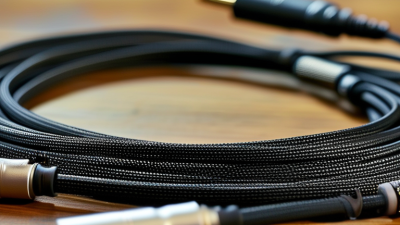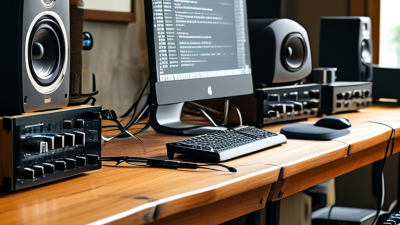
What Are the 2026 Top Types of Audio Cables? This question matters more as studios, homes, venues, and mobile production systems become increasingly connected. The best choice depends on signal type, distance, interference, connectors, and installation conditions. A short microphone lead may need excellent shielding, while a speaker cable requires suitable conductor size and durable insulation. Digital systems add another concern: impedance and transmission standards must remain consistent.
Bill Whitlock, a respected audio engineer and former president of Jensen Transformers, has said, “The most important function of a cable is to carry the signal without adding noise.” That principle remains practical in 2026. It directs attention toward balanced XLR cables, TRS cables, speaker cables, RCA interconnects, optical cables, USB audio cables, and network-based options such as AES67 connections. Each serves a different job. None is automatically best.
The details become visible in real use. A poorly shielded cable can pick up a laptop charger’s hum. A thin speaker cable may feel warm during demanding playback. An optical cable can solve ground-loop problems, but it may fail sharply when bent too tightly. Small choices matter.
Marketing often makes this subject sound simpler than it is. It is not.
Still, cable quality should not become an excuse for unsupported claims. I would question any product promising dramatic tonal changes without measurements. In this guide, we compare the leading Audio Cables types through construction, compatibility, durability, noise resistance, and value. The goal is not perfection. It is a reliable connection that works quietly, repeatedly, and safely.
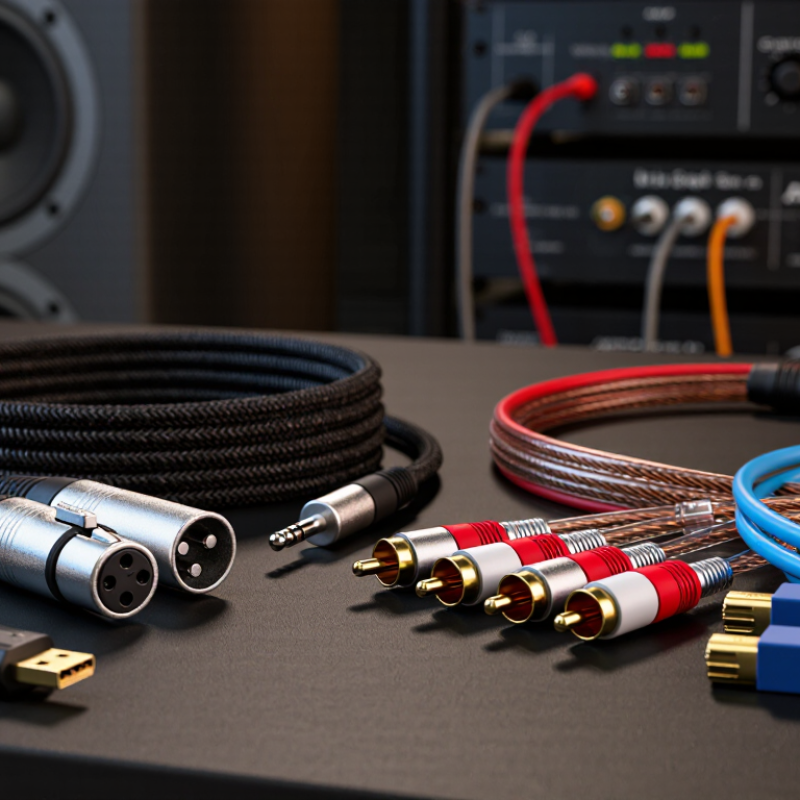
Audio cables carry either analog or digital signals. Analog cables transmit changing electrical voltage. Digital cables carry coded data, often through copper or light.
The main 2026 types include balanced XLR and TRS cables, unbalanced TS and RCA cables, speaker cables, USB-C cables, coaxial digital cables, and optical cables.
Balanced designs use two signal conductors and reduce noise across long studio runs. Unbalanced cables remain practical for short connections.
Speaker cables carry higher power and should not be replaced with thin instrument cables.
The 2025 IFPI Global Music Report recorded 29.6 billion dollars in global recorded-music revenue for 2024. Streaming represented 69.0% of that market.
This growth increases demand for reliable interfaces, monitors, mixers, and home-production systems. Still, newer does not always mean better.
USB-C may simplify connection, but its performance depends on protocol support, shielding, and device compatibility. Optical cables resist electromagnetic interference, yet their connectors can feel fragile.
I still verify the signal path before blaming the cable.
Tips:
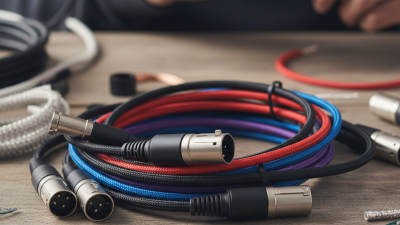
Analog audio systems still depend on five practical cable types: RCA, XLR, TRS, TS, and speaker wire. Each one carries audio differently and suits a specific connection. RCA cables use unbalanced signals and commonly connect home audio equipment. Keep them short when possible. Longer runs may pick up hum from power adapters or nearby electrical wiring.
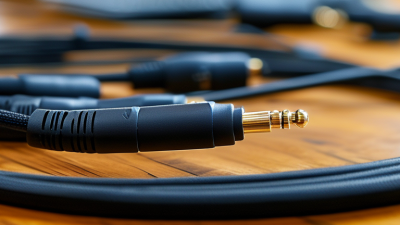
XLR cables carry balanced signals through three conductors. They are useful for microphones, mixers, and long connections because balanced wiring can reduce interference. TRS cables also have three contact points, but their purpose varies. A TRS cable may carry a balanced mono signal or stereo audio, depending on the equipment. Check the device manual. The plug shape alone does not tell the whole story.
TS cables use two conductors and normally carry unbalanced instrument or line-level signals. They work well for short connections, but they are more sensitive to noise. Speaker wire is different. It carries amplified, higher-current output to passive speakers, not delicate source-level audio. Choose a suitable wire thickness for the distance and speaker load. Never treat it like a microphone cable. I have seen this mistake create weak sound and unnecessary heat.
Cable advice can become too confident, though. Room layout, connector quality, grounding, and equipment design often matter more than expensive materials. Test the actual setup. Listen closely.
Digital audio cables will remain essential in 2026, especially in home studios, gaming rooms, and living-room systems. USB connections carry audio between computers, interfaces, microphones, and digital-to-analog converters. They are convenient, but compatibility still matters. A cable may fit physically yet fail because of power, data, or driver limits.
HDMI is the practical choice for televisions, receivers, and sound systems. It can carry high-resolution audio and multiple channels through one cable. Audio return functions can send television sound back to a receiver. Check the equipment specifications carefully. Not every HDMI port supports the same audio features.
Optical cables use light, so they resist electrical interference near power supplies and computers. They work well for clean, simple connections. However, some optical links cannot carry advanced surround formats. Coaxial digital cables use electrical signals through a 75-ohm design. They often suit short connections between players and converters. Keep the cable away from sharp bends. Small details matter.
In practical setup work, I test the cable after changing one connection at a time. This makes faults easier to locate. I still occasionally blame the cable too quickly. The real issue may be an incorrect input, muted output, or unsupported format. Expensive construction does not automatically create better digital sound. Reliable performance comes from correct standards, secure connectors, and suitable distance. Shorter is not always better, though excessive length can expose weak shielding or poor installation.
What Are the 2026 Top Types of Audio Cables?
Wireless audio is not cable-free in practice. Bluetooth connects headphones, microphones, and portable speakers without signal wires. However, power cables and charging ports remain essential. The Bluetooth SIG 2024 Market Update projects 7.6 billion annual Bluetooth device shipments by 2028. That growth supports convenient personal listening, but Bluetooth still faces latency, interference, and codec limitations. A crowded room can expose these weaknesses quickly.
Wi-Fi audio supports higher bandwidth and multi-room control. The Wi-Fi Alliance estimates that Wi-Fi 7 devices could reach 2.1 billion shipments by 2028. Wi-Fi works well for lossless streaming and synchronized playback, especially across larger spaces. Yet performance depends on access-point placement, network traffic, and wall materials. More speed does not automatically mean better sound.
Ethernet cables remain the dependable backbone for networked audio. IEEE 802.3 standards support stable wired connections, while professional audio networks use managed switches and structured cabling. In installation work, shielded twisted-pair cable can reduce unwanted noise near lighting systems and power equipment. Cable length and termination still matter. I have seen expensive systems fail because of one poor connector. That detail is easy to overlook. Dell’Oro Group’s Ethernet Switch Five-Year Forecast continues to track strong data-center and enterprise switching demand, reinforcing Ethernet’s infrastructure role. Still, using Ethernet everywhere may be excessive for a small room. The practical choice is often hybrid: wireless for movement, Wi-Fi for flexible distribution, and Ethernet for critical paths.
| Audio Connection Type | Transmission Medium | Typical Maximum Distance | Common Data Rate or Capacity | Typical Latency | Interference Resistance | Power Delivery | Best-Fit Applications |
|---|---|---|---|---|---|---|---|
| Balanced Analog Audio Cable | Shielded copper pair | About 100 m in suitable professional installations | Continuous analog signal; not specified as a network data rate | Effectively immediate; cable delay is negligible at normal lengths | High when correctly balanced and shielded | No | Microphones, mixers, amplifiers, stage systems, and long analog runs |
| Unbalanced Analog Audio Cable | Coaxial copper conductor with shield | Usually kept below 10 m for low-noise installations | Continuous analog signal; not specified as a network data rate | Effectively immediate | Moderate; more vulnerable to ground loops and electromagnetic noise | No | Consumer playback equipment, instruments, short patch connections, and home systems |
| Digital Coaxial Audio Cable | 75-ohm shielded copper coaxial cable | Commonly up to about 10 m without active extension | Typically stereo PCM and compressed multichannel formats; capability depends on the interface | Very low; interface processing adds most of the delay | Good with correct impedance and shielding | No | Digital playback, televisions, receivers, and short equipment-to-equipment links |
| Optical Digital Audio Cable | Plastic or glass optical fiber | Commonly up to about 10 m with standard consumer interfaces | Typically stereo PCM and compressed multichannel formats; capability depends on the interface | Very low; interface processing determines the practical delay | Excellent electrical isolation and immunity to electromagnetic interference | No | Home theater, televisions, digital amplifiers, and electrically noisy environments |
| Bluetooth Classic Audio | 2.4 GHz wireless radio | Often around 10 m indoors; more with suitable power and clear conditions | Codec-dependent compressed audio; practical audio rates are far below the radio link rate | Usually about 100–250 ms, depending on codec and device buffering | Moderate; shares the crowded 2.4 GHz band | No cable power; battery-powered devices are typical | Headphones, portable speakers, cars, and simple point-to-point playback |
| Bluetooth Low Energy Audio | 2.4 GHz low-power wireless radio | Often around 10 m indoors; environment and transmit power affect range | Uses a low-complexity audio codec with configurable bit rates and latency | Can be lower than traditional Bluetooth audio, but depends on implementation | Moderate; affected by other 2.4 GHz devices | No cable power; designed for efficient battery operation | Low-power earbuds, assistive listening, broadcast audio, and synchronized personal audio |
| Wi-Fi Audio | 2.4 GHz, 5 GHz, or 6 GHz wireless network | Typically 30–50 m indoors per access point; greater coverage is possible with network design | High network capacity; suitable for lossless and multiroom audio when properly configured | Commonly tens to hundreds of milliseconds, depending on buffering and synchronization | Good, but performance varies with congestion, walls, and access-point placement | Usually no; some network devices can receive power through separate wired infrastructure | Multiroom playback, wireless speakers, streaming, and high-quality home audio |
| Cat 5e Ethernet Cable | Twisted-pair copper | Up to 100 m per permanent copper channel under standard installation limits | Up to 1 Gb/s for standard gigabit Ethernet over suitable installations | Very low and predictable; network equipment adds most processing delay | Good common-mode noise rejection; installation quality is important | May support Power over Ethernet when compatible equipment and compliant installation are used | Networked audio, control systems, streaming endpoints, and general audio-over-IP links |
| Cat 6 Ethernet Cable | Improved twisted-pair copper | Up to 100 m at 1 Gb/s; 10 Gb/s is commonly limited to about 55 m depending on crosstalk conditions | Up to 1 Gb/s across 100 m; up to 10 Gb/s over shorter qualified runs | Very low and predictable | Better crosstalk performance than Cat 5e when properly installed | May support Power over Ethernet with compatible equipment | Professional audio networks, studios, venues, and systems requiring additional network headroom |
| Cat 6A Ethernet Cable | Twisted-pair copper with stronger crosstalk control | Up to 100 m at 10 Gb/s under compliant installation conditions | Up to 10 Gb/s | Very low and predictable | High crosstalk performance; suitable for dense structured cabling | May support higher-power Power over Ethernet when the complete system is rated for it | Large venues, permanent infrastructure, high-channel-count audio, and future-ready network installations |
What Are the 2026 Top Types of Audio Cables?
Choosing an audio cable depends on distance, equipment, interference, and signal type. In 2026, balanced XLR and TRS cables remain practical for microphones, mixers, and studio monitors. Their twisted conductors reject much of the electrical noise found near lighting systems. For short consumer connections, RCA and TS cables work well, but unbalanced designs need shorter runs. They can hum beside power cables.
Digital systems need different choices. AES3 cables suit professional point-to-point digital audio, while coaxial S/PDIF fits many home setups. Optical cables can avoid ground-loop noise, especially between a television and an amplifier. USB cables connect computers and interfaces, but cable quality and length can affect stability. Speaker cables should use suitable conductor sizes, not ordinary instrument cables. That mistake is surprisingly common.
The 2024 AVIXA Industry Outlook places the global professional audiovisual market above 300 billion dollars annually. This growth increases demand for reliable signal infrastructure, but market size does not guarantee cable performance. The Audio Engineering Society’s AES3 standard also highlights the importance of impedance-controlled digital connections.
Tips: Match the connector and signal format first. Check the required length. Keep audio and power cables apart. For long microphone runs, choose balanced cable. For passive speakers, calculate distance and load before selecting conductor size. Test the complete system under real conditions. A cable may work perfectly on a bench, yet fail beside a dimmer rack.
Typical practical cable-run guidance for common audio applications. Actual limits depend on cable construction, signal level, interference, connectors, and system design.
How to choose: Use XLR or balanced TRS cables for microphones, mixers, and professional line-level connections over longer distances. Choose RCA or TS cables for short consumer or instrument connections. TOSLINK is suitable for optical digital audio, while USB is commonly used for short computer-to-interface connections. For passive speakers, select appropriately gauged speaker cable and keep long runs as short as practical.